Handwriting to Font (.TTF)
Turn your handwriting into a real, installable font
Forget printing grid sheets and scanning paper with alignment errors. Draw your letters straight on your phone, iPad, or desktop, preview your handwriting live on real stationery, and export an installable TrueType (.TTF) font file.
Free to draw and preview. Flat $3.99 for a permanent .TTF export, or $7.99/mo Pro.
ScribbleSync handwriting to font converter, at a glance
ScribbleSync turns your drawn strokes into an installable TrueType (.TTF) font directly in your browser. You draw each letter once on screen, preview it on paper, and download a standard font file.
- →Draw uppercase, lowercase, numbers, punctuation, Set 2 alternates, and cursive ligatures on phone, tablet, or desktop without printing or scanning.
- →Add accented letters, international scripts, and custom symbols using Language Packs or the free
+button with Google sign-in. - →Preview your handwriting live on lined notebook paper, Luxury Client Cards, Rustic Kraft Cards, or Vintage Parchment before compiling your font.
- →Download a standard vector TrueType (
.TTF) font that installs natively on Windows, Mac, iPad, Word, Canva Pro, Procreate, Photoshop, and Cricut. - →Includes commercial rights for your own drawn font on the Single Font ($3.99) and Pro ($7.99/mo) plans, plus optional Top Scriber showcase exposure in Scribble Gallery.
Why custom drawn strokes beat generic font packs
Most downloadable handwriting fonts were never drawn by you. Capture your real penmanship, then export it both as organic pages and as an installable .TTF font.
✕Downloaded stock font

Stock fonts give everyone the exact same letter shapes on a ruler-flat baseline. Any client, teacher, or reader spots it right away.
✓Your ScribbleSync handwriting
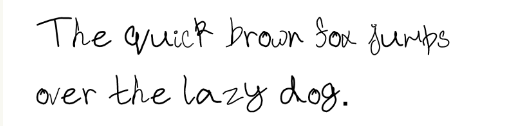
Every glyph comes directly from your own hand. Compile it into a .TTF file for Canva, Word, and Cricut, or render natural baseline drift and alternates directly in the web studio.
Why make fonts with ScribbleSync instead of legacy tools?
Most font makers were built twenty years ago around paper scanners. ScribbleSync is built for modern touchscreens, styluses, and digital creators.
No Printer. No Scanner.
Never buy printer ink or fight paper scan shadows. Open the studio on your phone, iPad, or laptop and draw letters straight on screen with instant undo.
Live Stationery Preview
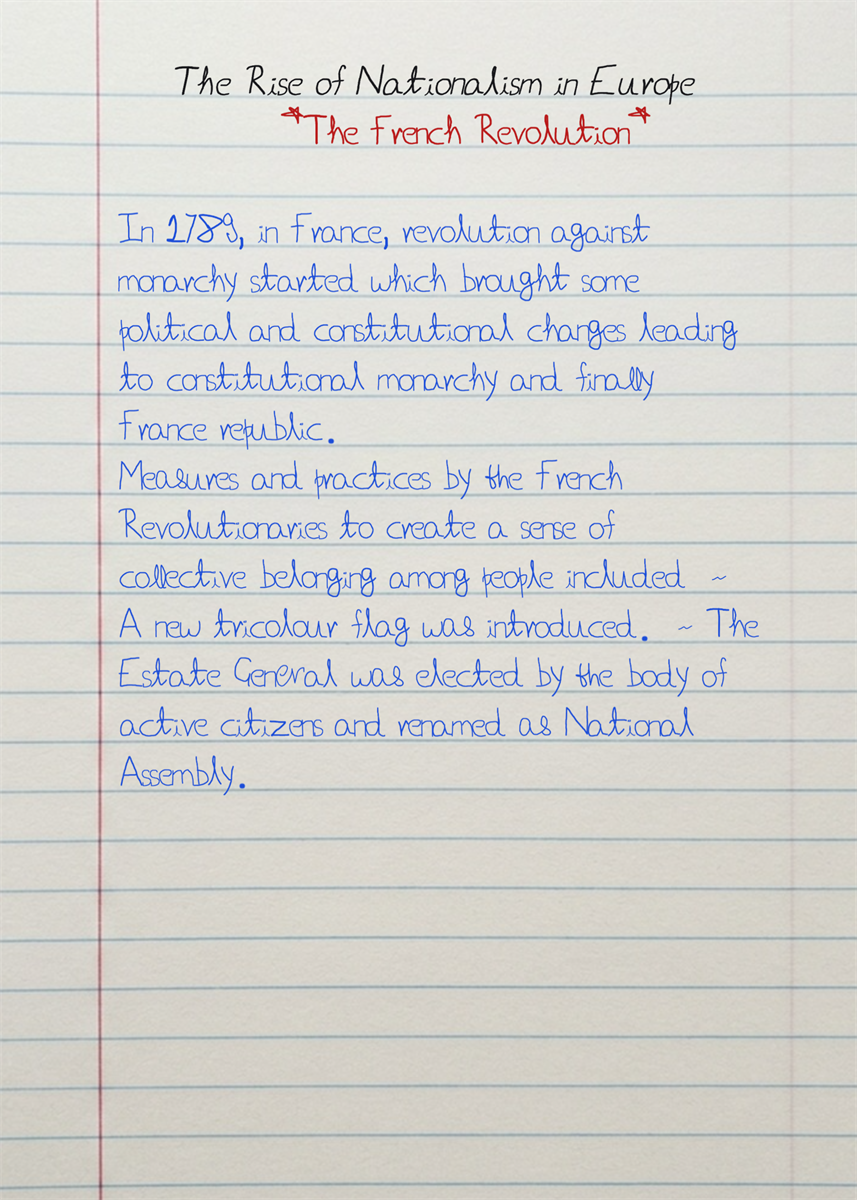
Test your custom font in real sentences on lined notebook paper, luxury client cards, or kraft stationery before downloading your .ttf file.
Personal & Commercial Rights
Use fonts drawn in your own handwriting for client designs, books, branding, and merchandise with zero royalties, or share your style in Scribble Gallery for B2B licensing.
From hand-drawn strokes to installable .TTF in three steps
Draw your characters once, preview on real pages, and install anywhere TrueType fonts work.
Draw your alphabet, accents & alternates
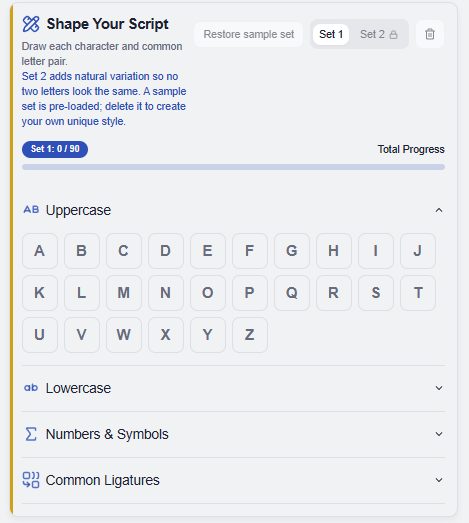
Draw uppercase, lowercase, numbers, punctuation, Set 2 alternates, and cursive ligatures on screen using your finger, Apple Pencil, or mouse. Need accented letters or currency symbols? Pick a Language Pack or click + for free.
Preview spacing, ink & stationery live
Type full sentences and adjust word size, letter spacing, line height, ink color, and Natural Humanizer right inside the studio so you can refine any letter before compiling.
Test your handwriting on custom stationery or uploaded pages →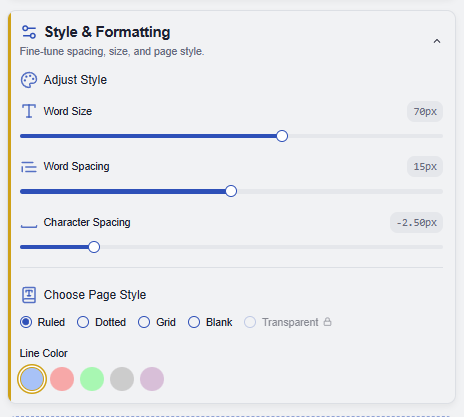
Compile .TTF or export finished pages
Click Font (.TTF) to download your compiled TrueType font file for Windows, Mac, iPad, Word, Canva Pro, Procreate, and Cricut. Studio presets such as Zeyada, Reenie Beanie, Homemade Apple, Nothing You Could Do, and Oooh Baby are open source from Google Fonts.
Or browse community calligraphy in Scribble Gallery →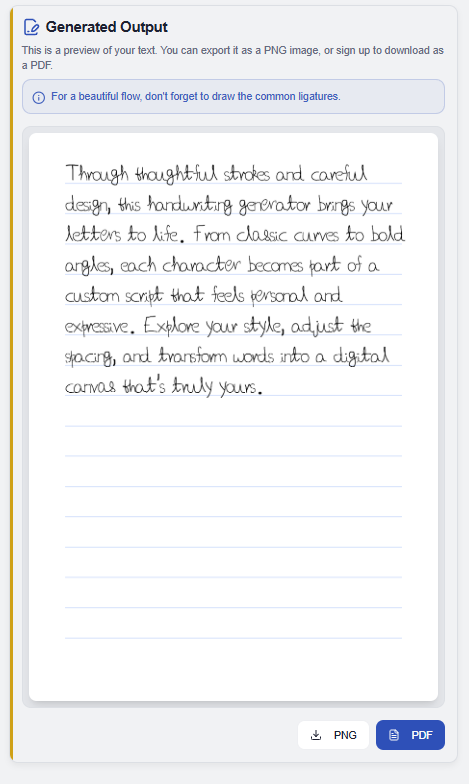
Install and type anywhere standard fonts work
Because ScribbleSync outputs genuine TrueType (.TTF) font files, your handwriting installs across every major OS and design app.
How ScribbleSync compares to traditional font makers
A quick look at the old paper-worksheet workflow versus drawing straight in the studio.
| Feature | ScribbleSync | Paper / Scanner Tools |
|---|---|---|
| Hardware Needed | Any phone, tablet, or PC | Printer + scanner required |
| Stationery Live Preview | Yes, notebooks & cards | No, plain grid preview only |
| Fixing a Bad Stroke | 1-tap undo / redraw | Reprint and rescan whole sheet |
Questions worth answering
- Can I earn from my handwriting?
- Get featured as Top Scriber and showcase your handwriting to the community. When you draw at least 30 characters and publish your style to Scribble Gallery with style reuse enabled, the #1 most-cloned style of the month is featured as "Top scriber - (username)" in the main studio font selector (where hovering over your username displays your portfolio). If a business, greeting card publisher, or stationery brand chooses to license your font or commission custom work via the Hire / License inquiry button on your portfolio (/u/username), you could earn from your work. With a Single Font ($3.99) or Pro ($7.99/mo) license, you can also use your own compiled .TTF font in your own commercial client projects and products. Licensing opportunities and earnings are not guaranteed.
- Do I need a printer or a scanner to make a font with ScribbleSync?
- No. Traditional font creation tools require printing out a PDF grid, filling in letters with a black pen, scanning the paper back in, and dealing with alignment errors. ScribbleSync works entirely in your browser: draw letters directly on your smartphone screen, iPad with Apple Pencil, touch laptop, or desktop mouse.
- Where can I install and use my custom handwriting font?
- Your exported font is a standard TrueType (.TTF) vector font file. It installs on Windows, macOS, iOS, and iPadOS, and works inside Microsoft Word, Excel, PowerPoint, Apple Pages, Google Docs (via local font utility), Adobe Photoshop, Illustrator, Procreate, Cricut Design Space, Silhouette Studio, and Canva Pro.
- Can I use my exported font commercially?
- Yes, when the handwriting is your own. With Single Font ($3.99) or ScribbleSync Pro ($7.99/mo), you can use a font you drew yourself in personal and commercial projects, such as client designs, logos, books, videos, websites, printed products, and merchandise, with zero royalties. Two sensible limits protect everyone: the font software file itself cannot be resold or redistributed, and styles cloned from Scribble Gallery belong to their creators and are for personal use only.
- Which font is downloaded upon export, and where are the studio presets from?
- When you export a font, ScribbleSync compiles the unique alphabet and letterforms you drew with your own handwriting into an installable TrueType (.TTF) vector font. The pre-made handwriting presets in the studio (such as Zeyada, Reenie Beanie, Homemade Apple, Nothing You Could Do, and Oooh Baby) are open-source fonts from Google Fonts and are freely accessible directly from Google Fonts (https://fonts.google.com).
- Can I draw my font on a mobile phone or an iPad?
- Yes! ScribbleSync is fully responsive and optimized for mobile devices and tablets. You can draw your letterforms using your fingertip on iPhone or Android, or with pixel-level precision using an Apple Pencil or stylus on iPad. The canvas includes pinch-to-zoom, one-thumb slider controls, and instant undo.
- Why should calligraphers and penmanship artists share their handwriting on Scribble Gallery?
- Sharing on Scribble Gallery provides four distinct growth and B2B monetization advantages for creators: 1) Top Scriber Preset ("Top scriber - (username)"): The #1 most-cloned reusable handwriting style each month (with at least 30 characters drawn) is featured at the top of the studio font selector as "Top scriber - (username)", where hovering over your highlighted username previews your portfolio to thousands of active writers. 2) Automated Attribution Watermark: Every document or note exported in your handwriting automatically includes a clean branding strip with your name or username (for example: "Handwritten by your name • Scribble Gallery at scribblesync.app"), turning every user download into organic promotion for your portfolio. 3) Inbound B2B Licensing Inquiries: Stationery makers and greeting card brands filter the gallery by "Cloned Most Times" to scout talent and commission paid commercial font licenses. 4) Protected Font Files: Your raw TrueType (.TTF) font file is never downloadable by other users, protecting your IP while letting community members write personal notes in your style.
- Why do ScribbleSync fonts look more realistic than standard computer fonts?
- Standard computer fonts stamp the exact same character every time you type a letter, creating an artificial, rigid appearance. ScribbleSync supports Set 2 alternate characters, custom symbols, connecting cursive ligatures, and the Natural Humanizer slider so words look naturally handwritten by a human.
Start writing in your own digital font today
Draw your letters once, preview on real stationery, and install your custom font across all your devices.